How to Run Double WhatsApp on Android Phone?
Now-a-days the trend of Android smartphones is getting very common.
The major reason behind the increased use of Android smartphones is that
it supports internet services. Many people are connected with their
friends, family and Relatives via internet. We know that our readers are
also android lover and want to run
Double WhatsApp on Android Phone.
These days most of the smartphones feature Dual sim slots just
because the mobile manufacturers know that now people need to run
multiple apps on one device such as Facebook Account, Dual Whatsapp
Number or other Multiple Account. If you have got a dual-SIM phone then
you are able to use the different SIM cards to make calls and send
texts using separate numbers. A common concept is that dual-SIM
smartphone owners are unable to use two different WhatsApp accounts on a
single device and WhatsApp app cannot be installed twice from the Play
Store to run two different accounts.
Most People think that to run
multi account whatsapp in one Android Phone device
is difficult, because multi whatsapp accounts in One Phone Android need
root mobile. Well that’s not true. You can install
double whatsapp on android phone
via very simple methods. If you wonder how to install two WhatsApp
accounts on one phone, then you have chosen a right article to read and
to know how to install
double whatsapp on android phone.
How to Run Double Whatsapp on Android Phone
In this article you will get to know how to install double whatsapp on one Android smartphone via two simple methods.
Two Methods:
- Cloner apps Like Parallel Space
- Whatsapp Business
Cloner apps:
Cloner Apps are applications that will allow you to make exact copies
of any app on your smartphonet. Many cloning apps now support multiple
accounts but some apps such as WhatsApp is too stubborn to fulfill the
requirement of users. There are some cloning apps that supports to
install
double whatsapp in one Android smartphone. However, we are going to share best two apps to install
double whatsapp in one Android smartphone.
1. Parallel Space:
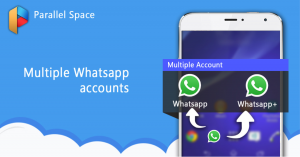
Parallel space is an app that supports the installation of
double whatsapp
on one Android smartphone. It is well made, simple and good in
performance. You can clone any app you want by using it. To run dual
whatsapp on android without rooting, you need to install Parallel Space
Multi Accounts Apk from Play Store
How to Download?
- You have to Download Android app Parallel Space to your smartphone.
- After it install the Parallel Space app by clicking Install option to start with.
- Now open the app by tapping on Parallel Space icon. Proceed further to install double whatsapp in one Android phone.
- Now you can see the below screen to set up double whatsapp without rooting. Tap on the + symbol to add dual whatsapp.
- Now you have to add an android apk, select Whatsapp in the list to run double whatsapp accounts on one android smartphone
- Tap on the Whatsapp icon in the screen in order to install second whatsapp account with the use of Parallel Space Android App.
- Final step: now tap on an option “Agree and continue”. Feed your
country and phone number to use whatsapp two numbers on Android. A
whatsapp verification code will be sent to your second whatsapp number.
You have to enter the code to run double whatsapp.
Finally you are now ready to use
double whatsapp on android phone. Whenever, you want to use second whatsapp account, simply open Parallel Space android app and tap on the whatsapp icon.
2) App Cloner:

App Cloner is a free app that allows you to create clones of apps. This app allows you to install
mutiple WhatsApp on your android phone. You can run both the cloned as well as the original app at the same time you can install
multiple whatsapp account with this app.
How to install
multiple WhatsApp with App Cloner?
- Go to PlayStore
- Open the app cloner.
- Once you open it, scroll down under the Apps tab and find Whatsapp and click on it.
- Now here you have to select the no. of clones you need. You can
change the Name of the app if you want. You can also change the icon
color. Even you can Flip, Rotate, Replace the icon. Add Badge, etc. From
the modding menu select and change the options. Once you done with it
then click on the blue tick to begin app cloning.
- When you complete the above process then you will get an Install App
option. After the Installation is completed you can find the app in the
app drawer. Moreover, You can also be able to save the app’s cloned
copy that is the apk file in your device and share it with your friends.
Now you have done. You can easily run
two WhatsApp accounts on your phone.
WhatsApp Business:

Whatsapp business makes you enable to have a business presence on WhatsApp. It make you
able to communicate more efficiently with your customers, and help you
grow your business. It is completely separate to the standard version of
WhatsApp, but it works in much the same manner. Its purpose is only
connecting businesses and customers, rather than friends and family.
If you have two separate business and personal phone numbers, you can
install both WhatsApp Business and WhatsApp Messenger on the same
phone.
In addition to the features available in WhatsApp Messenger, WhatsApp Business includes:
• Business Profile: You can create a profile for your business in
order to help your customers that they can find related information
about your website, location, or contact information.
• Business messaging tools: If you are away then you can use Away messages to indicate that you are away.
• Land/Fixed number support: You can have a facility of using
WhatsApp Business with a landline or fixed phone number and your
customers can message you on that number. During verification, you have
to select the option “Call me”. Once you done with it, you will receive
the code over a phone call.
• You can run both WhatsApp messenger and WhatsApp business on the
one Android phone, but each app must have different phone number.
• WhatsApp Web: You can respond to your customers more efficiently from the browser your computer.
Here are some requirements of using
double whatsapp on one Android phone.
So are you willing to know that what are those requirements? If yes,
then go ahead. If you want to use two WhatsApp accounts in the same
phone, then first you have to know all the things that are necessary to
use
dual WhatsApp account. Relevant information is given below.
Some requirements and relevant information, you must know, is given below.
- Your must have android mobile
- The android phone must have dual SIM slots
- You use high-speed internet connection or Wi-Fi
Wrapping Up:
Most people have just bought a dual SIM Android phone to save
themselves from the hassle of carrying two phones. At the same time they
also want to run
double WhatsApp on both numbers, but
on same device just because one WhatsApp for friends and one for work.
There are many benefits of using the double WhatsApp in one Android
smartphone through above mentioned processes. There will be no absolute
error like OG WhatsApp, you will not be go with the root process in your
android device. It works very smoothly.
We hope that this blog must be very helpful for you!
That's it, you have done!!!


